Booking & studio management app for photographers

Running your shoots shouldn't feel like a second job.

Bookings, changing schedules, team assignments and outstanding payments. Keep the details together and focus on your work.

Start free. Upgrade only if you need to.

Eligible users can try Pro free for 7 days.

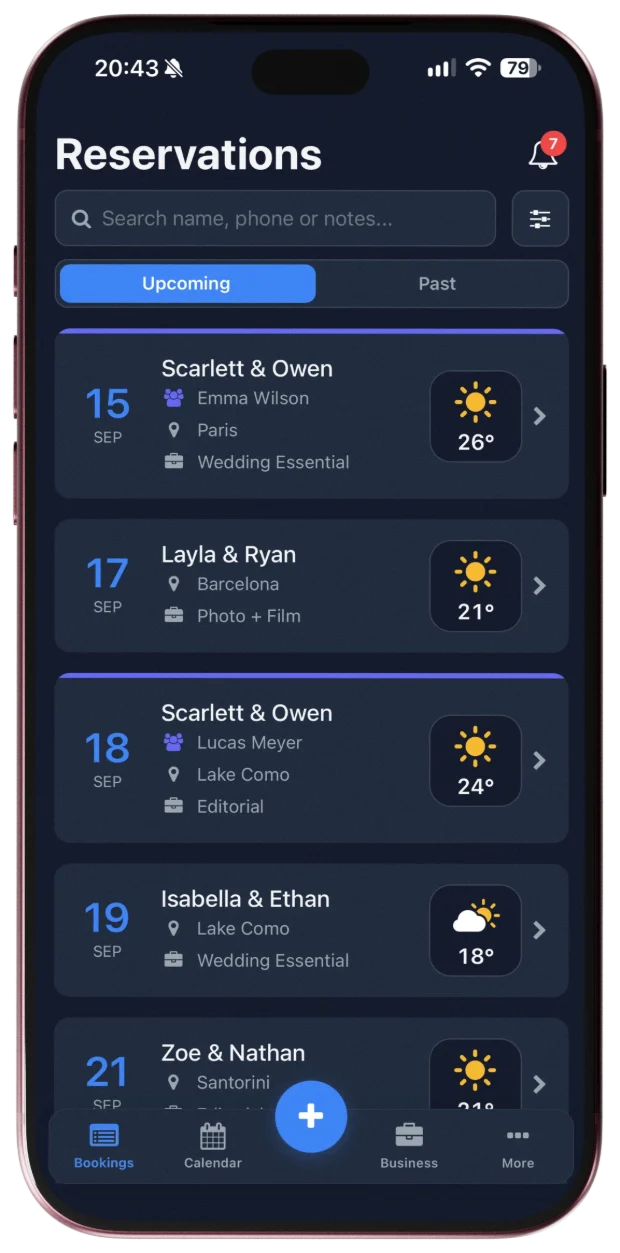
PhotoPlan reservations screen on iPhone showing upcoming shoots with weather
Screens include sample information.

Behind the camera

Keep your mind on the shoot. Leave the details to PhotoPlan.

No scrolling back through chats to find a start time, no keeping track in your head of who still owes what. That side of the job lives in one place.

One shoot, five places

Where are the details of your next shoot?

A message here, a note there, the balance somewhere else. In PhotoPlan they all belong to one reservation.

Client, date, location, balance and crew — spread across messages, notes and files.

Fragments are illustrative: chat messages aren't imported automatically. Existing booking lists can be imported from Excel.
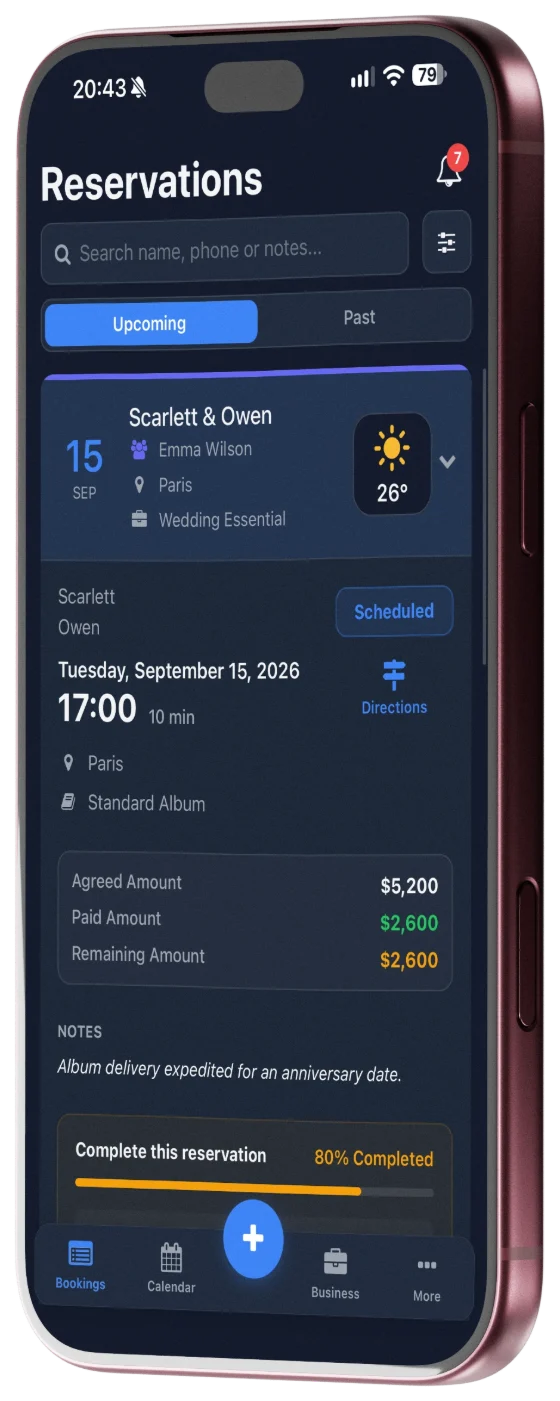
  • Client: Scarlett & Owen
  • Date & time: Tue, Sep 15 · 17:00
  • Location: Paris
  • Remaining balance: $2,600
  • Assigned to: Emma Wilson

Switching over

Already keeping bookings in a spreadsheet? Bring them with you.

Bring your existing reservation list over from Excel. You decide what gets saved.

  1. 1Download the templateUse PhotoPlan's Excel template so every column is read correctly.
  2. 2Review the previewSee which rows will be imported, which are duplicates and which have errors.
  3. 3Confirm the importNothing is added until you confirm, and you can undo the import you just made.

Need it back in Excel? Export your reservations any time — as a backup or for a report.

On the Free plan, imported reservations count toward the 5-reservation limit.

reservations.xlsx
#DateClient
209/15Scarlett & OwenDuplicate
309/17Layla & Ryan
4—Mia & LeoMissing date
509/18Scarlett & Owen
+2 more rows

Import preview

Total rows

6

To import

4

Duplicates

1

Errors

1

Existing reservations are skipped, never overwritten.

How it works

Try it here before you download.

Interactive product preview — nothing you tap here creates a real booking, payment or assignment.

Shoot day

Your week at a glance, weather included.

Shoots and team schedules in one calendar, with the forecast as each shoot day gets closer.

Keeping track for you

  • Deposit remindersNo deposit recorded? You get a reminder a few days before the shoot (3 by default).
  • Bad-weather alertsFor shoots with a location, you're alerted if rain or storms are forecast in the 5 days before.
  • Completion checkEach reservation shows what's missing: contact, venue, package, price or deposit.

Notifications follow your settings; weather alerts need a shoot location and an available forecast.

September 2026

Pick a day

Tuesday, September 15

17:00Scarlett & OwenParis· Emma Wilson

26°

Sunny

Payments

Agreed, collected, remaining — kept separate and clear.

Record a payment and the balance updates on its own. Try it with this sample booking.

Scarlett & Owen

Sep 15 · Paris

Agreed amount

$5,200

Collected

$2,600

Remaining balance

$2,600

50% collected
  • Deposit+$2,600

Collected: $2,600. Remaining balance: $2,600.

Team members

Assigned shoots

  • Scarlett & OwenSep 15 · Paris

Permissions

View financials
Edit reservations

Studio team

Everyone knows who's on which shoot.

Assign shoots to your team and decide who can view financials or edit reservations.

Team features are part of the Studio plan.

Pricing

Start free. Upgrade when your work grows.

Tell us how you work and we'll highlight the plan that fits.

How do you work?
Start here

Free

To get started

0
  • Up to 5 reservations
  • Basic CRM & Calendar
  • Join a Studio team — assigned work never counts toward your limit
Fits how you work

Pro

For professional individuals

View local price on the App Store

7-day free trial

We'll send you a notification before your trial ends.

  • Unlimited Bookings
  • Advanced CRM
  • Financial Tracking & Statistics

Studio

For growing teams

View local price on the App Store
  • Everything in Pro
  • Team Management & Roles
  • Unlimited Team Members

Prices are based on your approximate location. At purchase, the App Store charges the price for your Apple Account's region, which may differ.

Made for iPhone

PhotoPlan is an iPhone app, available on the App Store.

Billed by Apple

Paid plans are App Store subscriptions. You manage or cancel them in your Apple account.

Reach us directly

Write to the PhotoPlan team with any question. Our privacy policy and terms are public.

ContactPrivacy PolicyTerms of Service

Questions before you start?

Short answers about plans, billing and the app.

Can I use PhotoPlan for free?

Yes. The Free plan holds up to 5 reservations. Completed and cancelled reservations count toward that limit; ones you delete don't. Work a studio assigns to you doesn't count either. Upgrade whenever you need more.

Can I upgrade or downgrade my plan later?

You can view available upgrades in PhotoPlan. Changes to or cancellation of an existing paid subscription are managed through the Apple App Store; timing and billing follow the App Store's terms.

Is PhotoPlan available on Android?

PhotoPlan is currently available on iOS only.

Does PhotoPlan work with Apple Calendar or calendar subscriptions?

Yes. PhotoPlan lets you subscribe to a calendar feed, so your bookings can be viewed in Apple Calendar and other calendar apps. This is a one-way, read-only feed - editing events in an external calendar app does not edit your PhotoPlan reservations, and refresh timing depends on your calendar app.

Spend less time organizing. More time shooting.

Download PhotoPlan for iPhone and bring your next shoot together in one place.

Start free. Upgrade only if you need to.